Snap a statement. Done.
One screenshot or PDF of your bank or card statement becomes every expense on it, dated and sorted. Card payments and refunds start unticked, so nothing counts twice.
The daily budget for iPhone
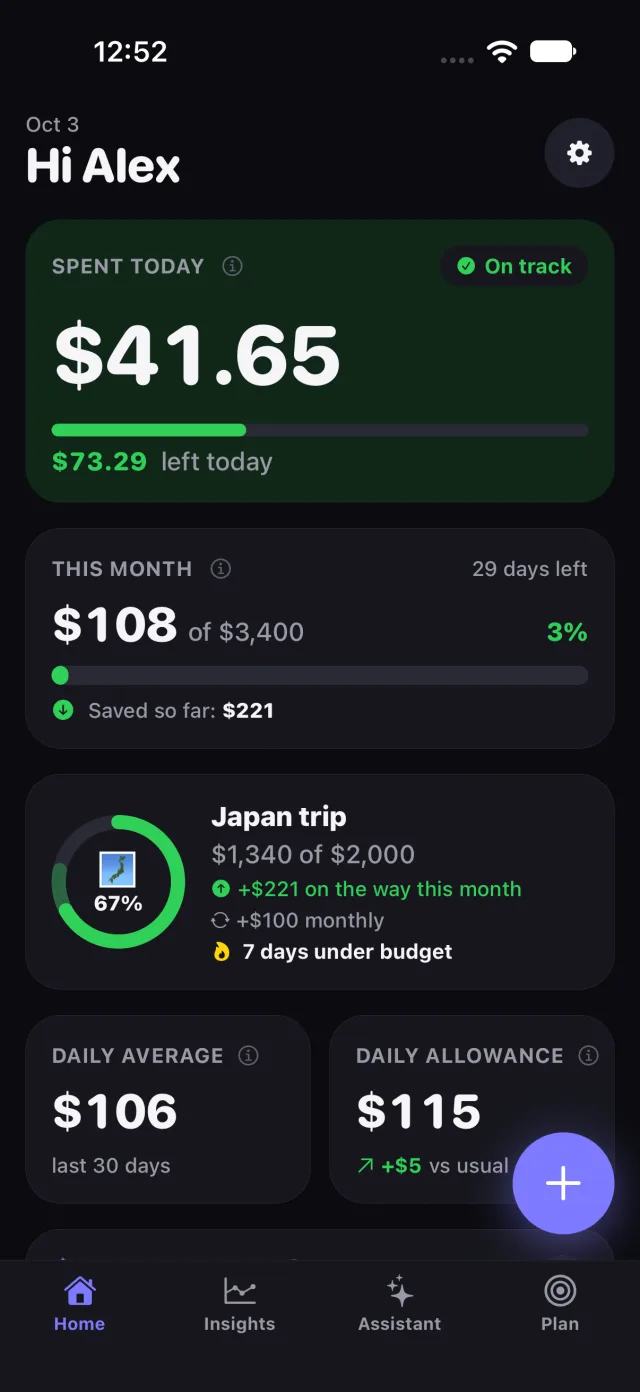
Orbit turns your monthly budget into one calm number for today. Snap a receipt or a bank statement and the rest takes care of itself.

Why budgets break
A monthly total means nothing at the checkout.
Orbit gives you one number for today, so every "can I?" has an answer.
Logging every coffee is a chore.
Snap it, share it or just say it. A whole bank statement takes one screenshot.
You find out when it's too late.
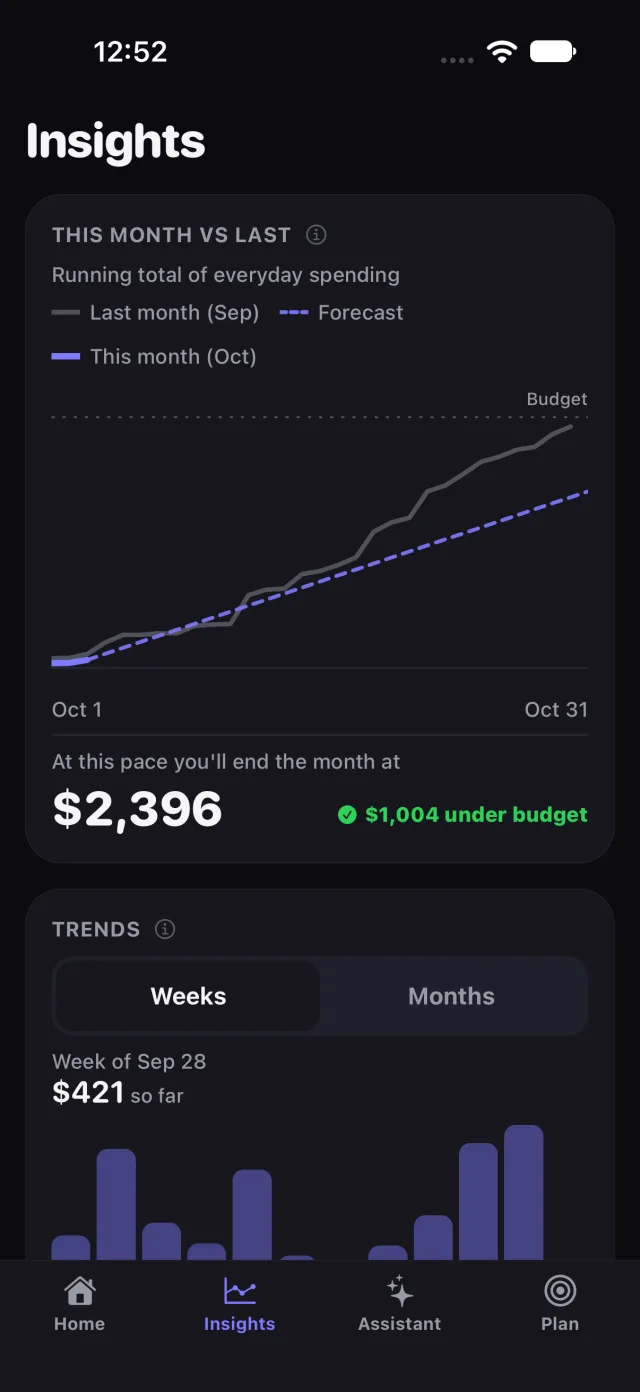
A forecast tells you how the month ends while you can still change it.
Pacing, not accounting
Your daily allowance is what's left of the month, divided by the days left. Spend less today and tomorrow grows. Overspend and Orbit quietly spreads it over the rest of the month, with no red ink and no starting over.
Try it
A $1,800 month, 12 days in, a little under budget.
Frictionless by design
One screenshot or PDF of your bank or card statement becomes every expense on it, dated and sorted. Card payments and refunds start unticked, so nothing counts twice.
"Twelve fifty at Tim Hortons and Netflix sixteen ninety-nine a month." Two expenses, ready to add.
The receipt today and the bank statement on Friday? Orbit spots what you already have and leaves it unticked.
Send a receipt, a screenshot or a PDF to Orbit from Photos, Mail, Files or any app's share sheet.
Correct a merchant once and Orbit remembers it.
Rent, Netflix, the gym every two weeks: tracked on their own, outside your daily number.
Tap to pay and the purchase is already in Orbit, amount and shop. One Shortcuts automation, set up once. No bank login.
"12 dollars lunch." Added in two seconds, without opening the app. The Action Button works too.
Freelance, gigs, commissions: Orbit spreads what you have until your next money, and recalculates the day you get paid.
Glanceable
A Home Screen widget shows what's left today as a ring, with a + to add an expense in one tap. Lock Screen widgets and controls too.
Leftovers, put to work
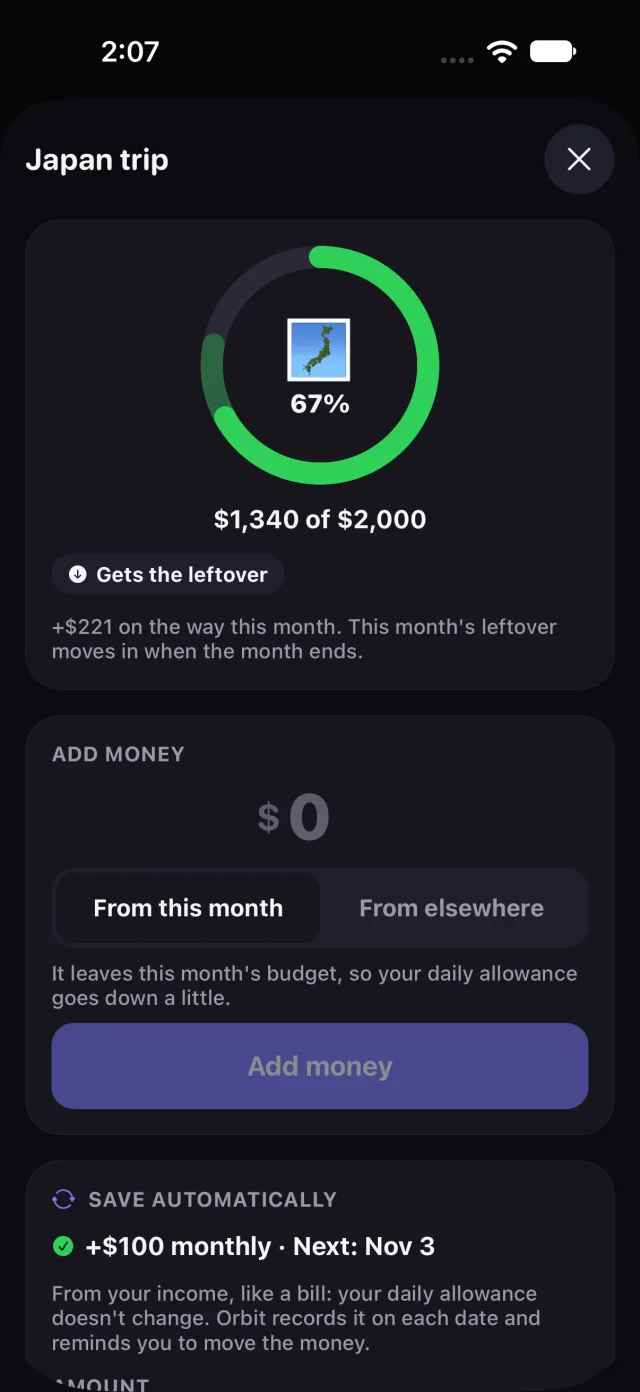
Whatever you don't spend this month rolls into a savings goal. Watch the ring fill, keep your under-budget streak going, and get a small celebration when you get there. Or save on a schedule, straight from your income.
Foresight
Your running total against last month, a forecast at your current pace, trends by week and month, and every category one tap away.
Can I afford this?
Before you buy, the impulse check shows what it does to your next days and to your month-end savings.
Will I make it to payday?
Orbit warns you days ahead if the money would run out, with the day and how much less a day fixes it.
Your money, explained
The assistant answers from your own records. Daily tips come from your numbers too: when something in your spending changes, Orbit tells you, with the figure.
How much did I spend on restaurants this month?
$186 so far, across 12 visits. That's $40 less than at this point in September.
Every Sunday
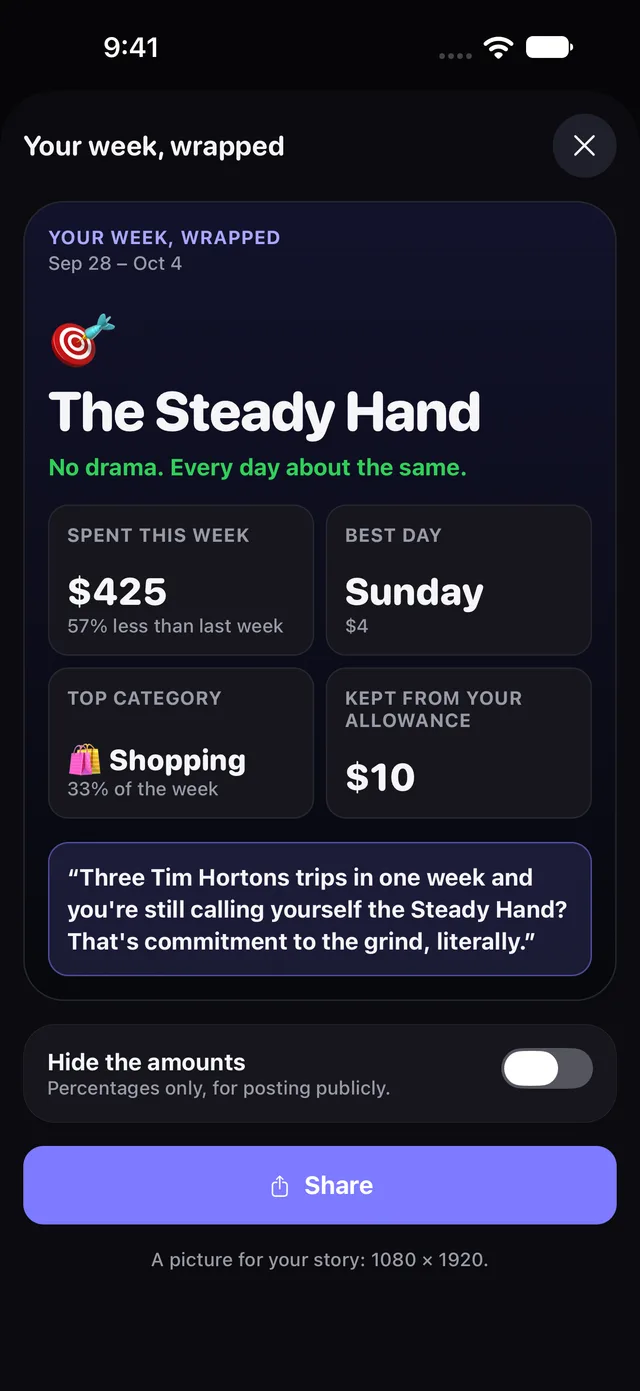
Your spending personality, your best day and your top category on one card made to share. Hide the amounts before posting, or ask for a roast.
Private by design
Orbit never asks for your bank password. It only knows what you add.
No ads, no advertising identifiers, no location. Nothing is sold or shared for advertising.
Pictures and questions are read by Anthropic's Claude to do the job, and aren't used to train models.
Export everything or delete your account from Settings, any time.
Yes. Tracking your spending by hand or by voice, the daily allowance, insights, goals and recurring payments are free and stay free. The free plan also reads 15 pictures and answers 20 assistant questions a month. A paid Orbit Plus, with unlimited use and new features, may come later; early users can reserve a founding price in the app, with no payment.
No. Tap Get started and use Orbit right away. Save your data with Apple or an email whenever you like, to get it back on another phone.
No. You add expenses with a photo, a screenshot or a PDF of a statement, your voice or by typing. Orbit never sees your bank login.
Any iPhone with iOS 18 or later.
Not yet. Orbit is iPhone-only for now.
Pick yours when you set up: US dollar, Canadian dollar, euro, British pound and 14 more. You can change it any time in Settings.
They're kept with their expense so you can look back at them, and deleted with your account.
Set your monthly budget once. Orbit does the pacing.